
Time to read:
Last Modified:
Translation apps can be incredibly helpful when you’re travelling with food restrictions, but only if you know how to use them well. Whether you’re gluten-free in Greece or managing multiple allergies in Japan, this guide walks you through the translation tools that can help — and the practical skills that make them truly effective. You’ll learn:
- Which apps work best for food-related situations
- When it’s better to switch to a clear, printed allergy card
- How to use each type of tool (with real demos)
- Essential app skills to help you translate ingredients and menus, and ask more questions so you can order safely and confidently
- How to translate ingredient labels and packaging, including in non-latin scripts like Japanese
Because it’s not just about the app, it’s about using it wisely, in the right moment and with the right backup.
The Three Essential Translation Tools
All of these apps have these tools as standard and each tool is a weapon in your safe-eating arsenal. Here’s what to use and when.
- Voice-to-Voice – seamless for street-food stalls & quick conversations.
- Text Translator – ideal for menus and waiter interactions.
- Image Scanner – essential for ingredient labels or packaged foods.
Top Translation Apps for Food Restrictions
Each app doubles as a tool in your food safety toolkit. From Google Translate to Papago and DeepL we will help you find the right app to communicate confidently while travelling. These apps will help you translate ingredients, menus, and allergy phrases quickly, online or offline. Here are the ones we recommend and guidelines for when to use each one:
Google Translate
A great option for its broad language support & ease of use, particularly for general translations
- Is free
- Both website and app versions
- Supports 130+ languages
- Integrates with other Google applications
- Available offline
- Translates text, voice, photos and files
- Favourite phrases
- Translation appears over text
- May not be as accurate for complex or sensitive information
Papago
Excels in translating Asian languages, delivering nuanced and culturally relevant translations
- Has free and paid versions
- Both website and app versions
- 13 languages supported
- Excels in Asian languages
- Available offline
- Translates text, voice, photos and files
- Favourite phrases or use a phrasebook
- Translation appears over text or seperately
- Built-in honorific and tone recognition
DeepL
Great for professional translations for accuracy, handling complex text & understanding nuances
- Has free and paid versions
- Both website and app versions
- 30 languages supported
- Known for highly accurate translations, especially European languages
- Preserves natural tone and grammar better than Google
- Not available offline
- Translates text, voice, photos and files
- Favorites phrases
Skills to Master
Translation apps are great, but they’re only as helpful as the way you use them. We’ll show you the simple, practical skills that help you scan menus, ask the right questions, and spot red flags so you can eat safely and travel confidently. These skills transform apps into travel superpowers:
Skills to Master
- Download the languages you need to use it offline if required.
- Short, Clear Phrases Only apps work best with simple language so avoid long sentences
- Always Back-Translate to check accuracy by translating back into English
- Favourite or Screenshot key phrases so you can quickly access your most used phrases
- Ignore Slang & Idioms, apps often misinterpret casual English expressions
- Know When to Say No, If it’s a serious allergy or you don’t feel understood, switch to your printed allergy card
- Pick the right tool know how to use it.
- Be comfortable translating text and audio, YouTube videos in another language are a good way to get familiar with this
- Be comfortable scanning images so you know what is in a product, a great way to do this is in the international foods section of your supermarket or the local Asian grocery store
- Use Smart Tools That Understand Allergies
- Menu Suitability this tool goes beyond just words. It help filter menu items based on your actual restrictions, giving you a personalised safety boost.
- Meal Suitability Tool Unsure about a dish or label? This image-based tool helps flag ingredients that might not work with your needs.
How to Use Google Translate
When Translation Apps Fail
- Apps might miss cross-contamination or regional synonyms.
- Back-translation helps but it isn’t foolproof.
- Too much reliance on auto-translate can lead to confusion in high-risk scenarios.
For serious allergies, translation apps are great for conversation, but a printed allergy card is your ultimate safety net.
Best Safe-Eating Strategy = App + Allergy Card
Translation apps are flexible and fast. Allergy cards are clear, respectful, and harder to misinterpret. Together, they give you clarity and confidence, whether in a bustling night market or a fine-dining restaurant.
We’ve written an article on allergy cards vs. translation apps that will help you understand when to use each option and when you might need both.
Translating Ingredients and Food Labels
Reading ingredient lists abroad is a different challenge to translating a menu, you’re often dealing with dense small text, unfamiliar scripts, different packaging layouts and technical food terminology that general translation apps sometimes struggle with.
The apps worth using
Google Translate’s camera function (Google Lens) is the go-to for most scripts, point your phone at the label and it overlays the translation in real time. It handles most European languages well and is improving constantly with Asian scripts.
For Japanese, Korean, and Chinese, Papago is worth having alongside it. It’s built specifically for Asian languages and handles food terminology more accurately than Google Translate in our experience.
A tip for before you travel
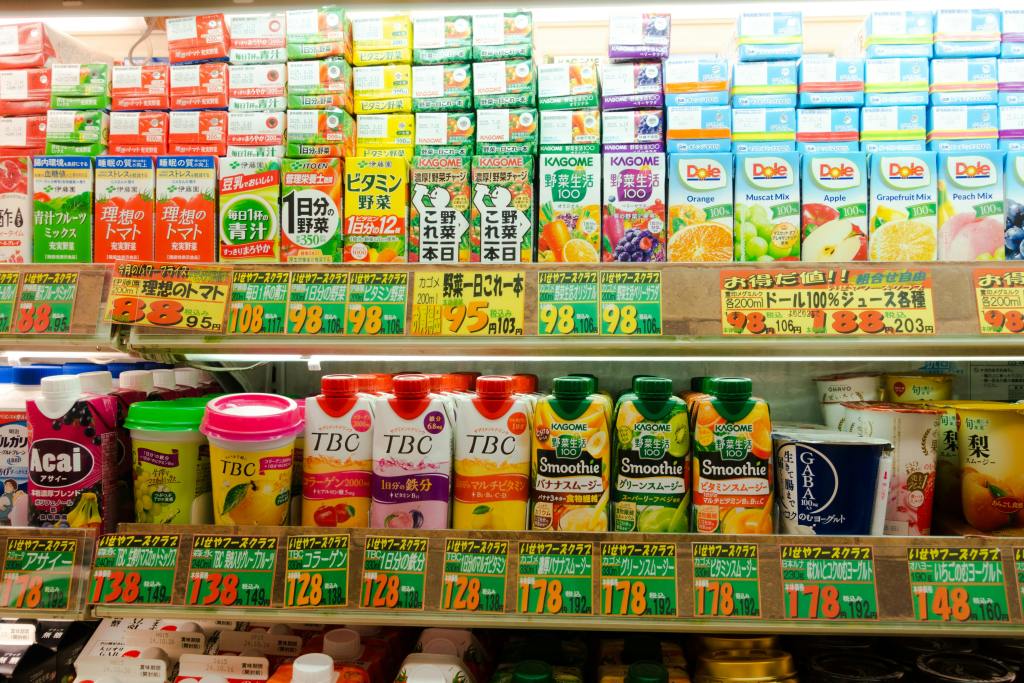
Find bilingual packaging at your local Asian grocery or international food section, many products list ingredients in both English and the local language. It’s a low stakes way to get familiar with the layout and key terms before you’re standing in a foreign supermarket trying to figure out if something is safe.
Travelling soon?
Make sure your food safety toolkit is complete:
- Use translation apps smartly
- Master the essential app skills above
- And carry your allergy card for peace of mind, create yours today as part of our essentials travel pack or use free allergy card generator creator
FAQ
Do translation apps work offline?
Google Translate and Papago both work offline once you’ve downloaded the language pack. DeepL requires an internet connection.
Which translation app is best for Japan or South Korea?
Papago is your best bet, it handles Asian languages with better nuance and tone than Google Translate.
Can I trust translation apps for serious food allergies?
Apps are a great first line of communication but aren’t foolproof — they can miss cross-contamination risks and regional ingredient names. Always back them up with a printed allergy card for serious allergies. Create your Free Allergy Card now
What’s the difference between a translation app and an allergy card?
Translation apps are flexible and great for conversation. Allergy cards are pre-written, clear, and harder to misinterpret, together they give you the best protection. We go into this in more detail here Allergy Cards vs. Translation Apps when to use them
Are these apps free?
Google Translate is completely free. Papago and DeepL have free versions that cover most traveller needs, with paid upgrades available.
Can I use translation apps to read ingredient labels abroad?
Yes, Google Translate’s camera function is the easiest way to scan and translate ingredient lists in real time. For Japanese, Korean, and Chinese packaging, Papago tends to handle food terminology more accurately than Google Translate.
Are ingredient labels laid out the same way everywhere?
No, and that’s worth knowing before you travel. Western packaging typically lists ingredients in a familiar format, but Japanese packaging for example has a specific allergen declaration section that isn’t immediately obvious if you’ve never seen it before. Practising on bilingual packaging at your local Asian grocery store before you travel is a great way to get familiar with different layouts.
What if I’ve translated the label but I’m still not sure if it’s safe?
That’s where the Meal Suitability Assistant comes in. Take a photo of the meal or packaging, tell it your restrictions, and it gives you a rundown of how safe it is for you specifically — including what to ask if something is unclear. It’s particularly useful when you’re dealing with unfamiliar ingredients or local terms that don’t translate cleanly.